
Home Planner AI: Room Interior
Room Planner LtdHouse & Home
4.03.68K Reviews
- Version
- 2653
- Installs
- 10.00M
- Age Rating
- Everyone
Screenshots
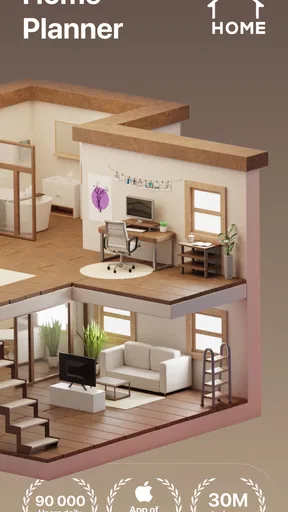
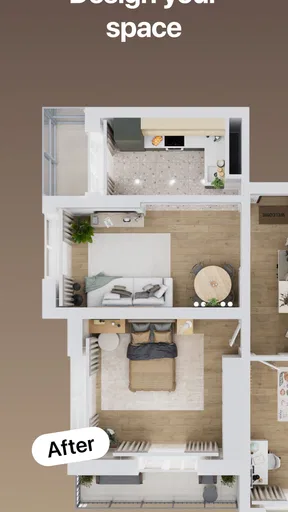
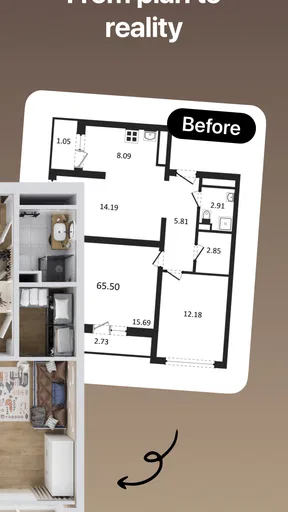
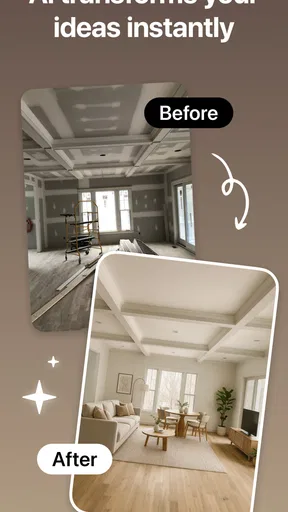
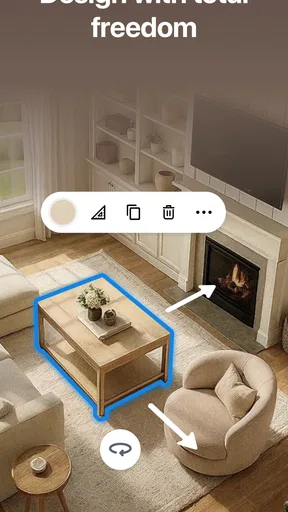
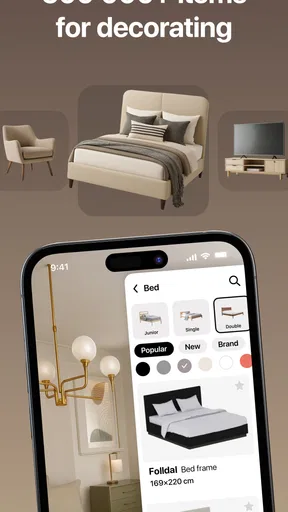

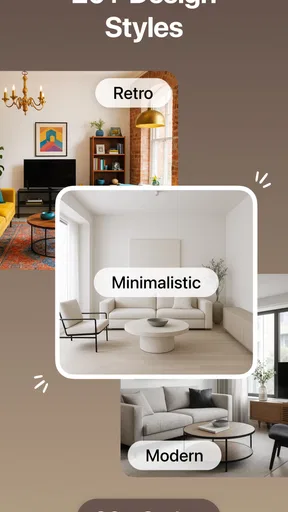
Our Review of Home Planner AI: Room Interior
 Analysis by Appyee
I judge a home-design app by whether it helps me make a clearer decision, not by how impressive a mock-up looks on its own. That matters especially when a room photo, a floor-plan idea, or a furniture choice involves a real home and personal details. Home Planner AI: Room Interior is aimed at people who want to explore interior changes on a phone, and I’d approach it as a visual planning aid rather than a substitute for professional measurements, privacy checks, or renovation advice.
What I would check before sharing a room photo
Photographing a room can capture more than its furniture: family pictures, paperwork, a view through a window, or other details you might not want to share casually. Before uploading an image to any design tool, I’d take a moment to clear those items from view or use a photo that shows only the area I’m working on. That’s a practical precaution, not a claim about how this particular app handles images.
Likewise, I wouldn’t assume that an AI design feature works entirely on the phone or that a room image stays only on the device. I’d look at the app’s current privacy information and any permission prompts when using a feature, then decide whether I’m comfortable proceeding. If the app asks for access that doesn’t seem relevant to the task I’m doing, I’d pause rather than grant it automatically.
Keep control of the design decisions
The useful role for AI here is to help me generate possibilities, not to decide what belongs in my home. Suggestions can be a starting point for exploring a different arrangement or color direction, but I’d still check whether the idea suits my daily routine, existing belongings, and the actual dimensions of the room. A polished image can make a layout feel more practical than it is.
I’d also separate visual inspiration from purchase decisions. A rendered chair or color scheme can help clarify the look I want, but I would verify product details, dimensions, availability, and total cost independently before spending money. When experimenting, I’d save or note the versions I genuinely like, then compare them after stepping away from the screen; that small pause helps distinguish a fun concept from a plan I’m ready to act on.
Who may find it useful—and who may not
I can see this being handy for someone choosing between a few decor directions, preparing to rearrange a bedroom, or trying to explain a renovation idea to a partner or housemate. It is less suitable as the only tool for a contractor-ready floor plan, structural decisions, or a purchase that depends on exact fit. If precision is the priority, a dedicated measuring or professional design workflow is a safer choice.
Room Planner Ltd develops this free home-and-interior app. Its audience is broad: it has an Everyone content rating, an average rating of 4.0 from around 234,000 ratings, and over 10 million installs. I’d treat that reach as a sign that many people use it, not as proof that every feature will suit my needs or that a suggested design is correct for my home.
Trying ideas without mistaking them for a finished plan
The app’s appeal is the chance to test visual ideas before moving furniture or shopping. Its store name is Home Planner AI: Room Interior, and its current version is 2605, with Android 10 as the minimum OS. It is free to install, with in-app purchases ranging from $1.99 to $399.99 per item, so I’d check what is available at no cost and what a particular paid option includes before committing. The app was released on December 17, 2016, and has around 3,600 reviews, alongside its much larger rating count.
Getting started with a realistic goal
Rather than trying to redesign an entire home in one sitting, I’d start with one decision: for example, whether a small living room feels less crowded with a different seating arrangement. That gives me a clear question to test and makes it easier to judge the result. I’d take a tidy, well-lit photo if I’m using one, keep the camera angle consistent across attempts, and compare options against the room I actually have—not an imagined version with different windows, walkways, or furniture sizes.
This kind of focused test can be useful when a household is split between ideas. One person may prefer a bold wall color while another wants to keep the room calm; seeing alternatives can make the conversation more concrete. The app can help people discuss taste, but I’d still confirm any measurements and practical constraints together before moving or buying anything.
Exploring the Features
Now, here’s where the magic happens. The app uses advanced AI technology to help you visualize changes in any room of your home. You can take a photo of your existing space, and voila, the app lets you play around with different layouts, furniture, and color schemes.
One thing I loved was the vast library of furnishings and decor. Whether you’re into modern minimalism or boho chic, there’s something for everyone. The drag-and-drop feature makes it super easy to experiment with different looks until you find the perfect fit.
For a more useful comparison, I’d keep one element fixed while changing another: try the same layout with different colors, or the same palette with different furniture. Changing everything at once can produce a striking result but makes it hard to tell which choice improved the room. I’d also treat a catalog item as a visual stand-in until I have checked its real-world dimensions; a convincing-looking fit on screen does not guarantee comfortable clearance around doors, drawers, or walkways.
Design Like a Pro
What sets this app apart is its AI-driven recommendations. Not sure what to do with that awkward corner in your living room? The app suggests ideas based on current trends and your personal style preferences. It’s like having a savvy friend who’s always ready with the best advice.
Another cool feature is the augmented reality mode. You can virtually "place" items in your room to see how they’ll look before making any real-life changes. It’s surprisingly accurate and a lot of fun to play around with.
I’d use recommendations as prompts rather than rules. An idea that looks fashionable may not work for a home with pets, children, limited storage, or a busy path between rooms. Likewise, an AR preview is most valuable for judging broad appearance and placement; I would not rely on it alone for exact scale, color under every lighting condition, or installation requirements. If the first result misses the mark, I’d change one preference at a time and use the result to refine what I want, not keep generating variations without a clear goal.
How it fits alongside other planning methods
Compared with a paper sketch, this app can make style and furniture choices easier to picture. Compared with a general inspiration board, it gives the ideas a connection to a room rather than leaving them as separate images. That makes it useful early in a project, when the main question is “Which direction feels right?” A conventional floor-plan or measurement app is still a better fit when the question is “Will this fit, and where exactly should it go?”
For a larger remodel, I’d use it to communicate preferences and gather visual references, then hand accurate measurements and technical questions to the relevant professional. For a low-stakes refresh—rearranging a reading corner, testing a calmer palette, or making a spare room feel more welcoming—it may be enough to help narrow the choices. The trade-off is that its visual convenience can encourage confidence before the practical details have been checked.
Budget-Friendly Options
Worried about costs? No problem. The app includes a budget tracker that helps you keep tabs on your spending. You can search for furniture and decor within your price range, and even find similar items at different price points. This feature alone can save you a ton of time and money.
I’d still treat any in-app budget or price comparison as a planning aid, not a final quote. Before buying, I’d check the retailer’s current price, delivery charges, return terms, and whether the item is genuinely comparable to the one shown. A useful habit is to set a firm room budget outside the app as well, then leave room for practical costs that a visual design may not make obvious. The free download is a low-commitment way to try the workflow, but the wide range of optional purchase prices makes it worth checking a paywall or purchase screen carefully before confirming anything.
Everyday use and small points of friction
Imagine I’m coming home with a new desk and realize the bedroom corner I picked may block a cupboard door. I could use a room image and a few alternative arrangements to see which direction looks more promising before I start shifting heavy furniture. I’d then measure the desk and the usable space myself, check the cupboard clearance, and make the final decision in the room. That combination—visual experiment first, tape measure second—is where this type of app is most helpful.
It is also sensible to work in short sessions. A large catalog and many possible combinations can turn a simple choice into endless browsing. I’d save a couple of candidates, take a break, and return with a specific comparison in mind. If an image is difficult for the app to interpret or a visual result looks off, I’d try a clearer angle or simplify the scene rather than treating the first output as definitive.
The app runs smoothly, with minimal lag and quick loading times. I didn’t experience any crashes or bugs, which is a huge plus. The developers clearly put a lot of effort into ensuring a seamless user experience.
The customer support is also worth mentioning. They’re responsive and genuinely helpful if you have any questions or run into issues.
Who should choose another approach
I would skip this as a primary planning tool if I needed technical drawings, exact construction specifications, or guaranteed product fit. Someone who already knows the measurements and wants a precise, dimension-led layout may be better served by a specialist planning tool or a designer. It may also be the wrong choice for someone who would rather not use AI-generated suggestions or share room imagery with an app; in that case, a paper plan and privately kept reference pictures offer more direct control.
On the other hand, a first-time renter, a homeowner testing a modest decor change, or a person who struggles to imagine how furniture might look together may appreciate the visual experimentation. I’d be especially careful in rental homes: use the app to explore reversible changes, and check the lease or ask permission before painting, drilling, or making alterations.
Final Thoughts
So, is Home Planner AI: Room Interior worth your time? Absolutely! It’s an intuitive and powerful tool for anyone looking to refresh their living space without the hassle of traditional methods. Whether you’re a seasoned decorator or a complete newbie, this app is a fantastic resource to have on hand.
In conclusion, if you’re ready to take your home design game to the next level, go ahead and give this app a try. You might just find yourself spending hours tinkering with different layouts and styles. And really, who doesn’t love a good home makeover?
Ready to start designing? You can download the app and get creative with your space today!
Privacy and Permissions
See what permissions an app requests and how it handles your data.
- Location
- precise location (GPS and network-based)
- Photos/Media/Files
- read the contents of your USB storage, modify or delete the contents of your USB storage
- Storage
- read the contents of your USB storage, modify or delete the contents of your USB storage
- Camera
- take pictures and videos
- Wi-Fi connection information
- view Wi-Fi connections
- Other
- view network connections, pair with Bluetooth devices, access Bluetooth settings, full network access, run at startup, control vibration, prevent device from sleeping
Verdict
Strengths of Home Planner AI: Room Interior
- User-friendly interface for quick navigation.
- Realistic 3D rendering of room designs.
- Wide variety of furniture and decor options.
- AI suggestions enhance design creativity.
- Offline mode for designing on the go.
Limitations of Home Planner AI: Room Interior
- Limited free features; premium needed.
- Occasional lag with complex designs.
- Requires a stable internet connection.
- Ads can interrupt design flow.
- Limited color palette in free version.
Similar Picks in This Category
View All
Universal TV Remote Control
CodeMatics Media Solutions3.9

AlfredCamera Home Security app
Alfred Systems Inc.4.7

Planner 5D: AI Home Design
Planner 5D4.5

Universal Tv Remote-Cast to TV
One Music Player4.1

Zillow: Homes for Sale & Rent
Zillow Group4.8

99acres Buy/Rent/Sell Property
infoedge.com4.3
Frequently Asked Questions
What features does Home Planner AI: Room Interior offer for designing spaces?
Home Planner AI: Room Interior provides a comprehensive suite of features including AI-driven design suggestions, customizable room templates, and a 3D visualization tool. Users can experiment with different furniture layouts, color schemes, and decor elements, making it easy to visualize changes before implementing them in real life.
Is Home Planner AI: Room Interior available on both Android and iOS?
Yes, Home Planner AI: Room Interior is available on both Android and iOS platforms. This ensures that users can access the app’s full range of features regardless of their device, making it convenient for anyone interested in interior design to plan their spaces on the go.
Does the app require an internet connection to function?
Home Planner AI: Room Interior requires an internet connection for initial setup and accessing AI-driven features. However, once the designs are downloaded, users can work offline, allowing for uninterrupted creativity and planning when an internet connection is unavailable.
Are there any in-app purchases or subscription fees?
While Home Planner AI: Room Interior offers a free version with basic features, it also provides a premium subscription. The premium version unlocks advanced tools, exclusive templates, and ad-free usage, enhancing the overall design experience for more serious users or professionals.
How user-friendly is Home Planner AI: Room Interior for beginners in interior design?
The app is designed with an intuitive interface, making it user-friendly for beginners. It offers step-by-step tutorials and AI recommendations to guide users through the design process. This ensures that even those new to interior design can create beautiful and functional spaces with ease.
